phone doctor

Phone Doctor Plus

About This App

  • New edition, adding “One-Tap Test”, “Battery Test” and a refreshed Interface.

More than 40 types of hardware and system diagnostics to help you find invisible smartphone issues. Trade-in appraisal conducted by various channels for used smartphones based on the phone condition to give you a convenient and quick way for trade-in.

  1. Appraisal based on the phone condition, provide the most complete information on trade-in prices.
  2. Provide more than 40 types of diagnostic tests based on our patented technology to quickly understand the phone status.
  3. Provide system monitoring of hardware, battery, memory and storage.
  4. Daily recording of battery capacity and charging cycles.
  5. Track network usage, so that you will no longer worry about exceeding the mobile data usage.

Please ensure that the network connection is available before starting Phone Doctor Plus.
If you encounter any problems, please remove and re-install Phone Doctor Plus.

230x0w

Quote Writer

About This App

This new build has enhancement of some previous features

Quote Writer app (aka Quote Maker app) is a quote maker app where anyone can easily create quotes for any social media. If you want to create quotes online, this is the simplest and right app as a considerable quote generator. You can also make inspirational quotes easily with typewriter fonts.

This quote creator app will help you to generate your quote for any social site also you can create quote images with this free quote generator app.

Typewriter quote maker app or Quote writer app is a free quote maker app. Make your own quotes with a very minimal design look and share your quote to all popular social media.

This quote maker app has white and black background or typewriter font color design so that you can go with a theme.

SUBSCRIPTION INFORMATION

Quote Writer offers a subscription plan that gives you a more personalized experience and unlimited access to the entire premium features in the app

– Payment will be charged to iTunes Account at confirmation of purchase

– Subscription automatically renews unless auto-renew is turned off at least 24 hours before the end of the current period

– Account will be charged for renewal within 24 hours prior to the end of the current period, and identify the cost of the renewal

– Subscriptions may be managed by the user and auto-renewal may be turned off by going to the user’s Account Settings after purchase

– Any unused portion of a free trial period, if offered, will be forfeited when the user purchases a subscription to that publication, where applicable

screenshot

Don’t touch my phone

About this app

Don’t Touch My Phone is a popular anti-theft and phone security app with over 20 million downloads in 2023. This Android app protects your phone with motion detection, anti-pickpocket protection, and charger removal alerts.

🚨 Smartphone security features:

Anti-touch motion alarm detector with intruder alert for android phones (Don’t touch my Phone among us)
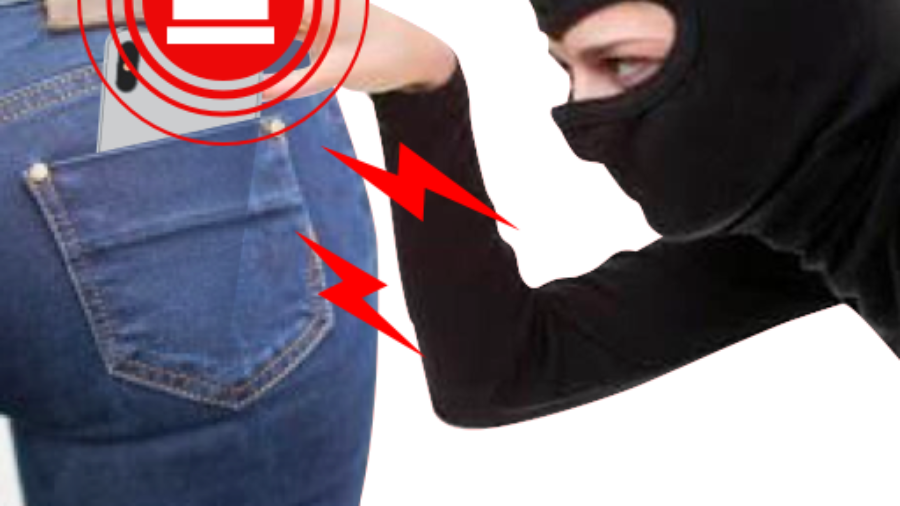
Anti-Pickpocket protector (Thieves hate this phone security app)
Charger Removal Alert ( Don’t remove charger – charging security alarm)

🚨 Prevent unauthorized access with quick and easy setup

1️⃣ Press START to activate the Anti Theft Alarm.
2️⃣ Place the device on a fixed place e.g. Table
3️⃣ Your phone is now secured.

🚨 This is how this phone security app will protect your smartphone:

Loud antitheft alarm is triggered when:

🔌 Charger is disconnected from your phone.
🖐️ Your phone is picked up from the table.
👮 When your phone is stolen from your pocket.
🔒 Your friends or family members snoop into your phone without your consent.

🚨 Other phone security apps free features – Don’t touch my phone privacy android app:
– PIN Code for Extra protection
Fingerprint accessible to Switch off the alarm.
Disconnect Charger alarm – An alarm will sound when someone tries to disconnect the charging cable from your device.
Light flashes when the alarm is triggered for hippo theft protection.
Add delay to Alarm Sound – Sound will trigger at set time..
Setup custom alarm sound- record, or use sound of choice.
Anti Theft alarm -to secure your precious smartphone. Find out immediately who tries to unlock my phone. Use a mobile touch alarm with a motion alarm detector. Don’t Touch My Phone – Anti-Theft Alarm phone security app that takes a pic. The utmost reliable.

🚨 The best security and anti-theft android protection for FREE When the alarm is activated the thief CAN’T reduce the alarm volume even if your Phone is in silent mode App runs in the background even when the phone is switched off making your phone hippo theft protection. Thieves hate this phone theft protection app! Ever wondered – Where is my Phone? Is it safe? Who is trying to access my phone all the time, without permission? Somebody nosy at the office? Record your own voice message and set it as an alarm ringtone. Nosey people will freak out! Anti theft phone application once installed on your phone will help you find the thieves and pinpoint their exact location. Don’t touch my phone privacy app is good against thieves, kids, noisy people and it’s a fantastic security system. This Antitheft app is one of the top security apps for android phone free – developed by Our studio. Install and enjoy for free.

🚨 Use Don’t touch my phone application for your smartphone security:
– Discover Who is trying to touch your phone.
– This simple security life-lock identity theft protection app has secured my phone several times. Are you afraid your phone will be stolen? Thieves hate this burglar alarm!
– Your friends are snooping into your phone to try and read your texts or private emails without your permission.
– Afraid to leave it alone in public places like school or the airport? Use a charging alarm.
– Your kids, siblings, family members or coworkers are using your phone when you’re not around
– Jealous partner is always snooping into your mobile phone?
– Who touched my phone
– WTMP? Who tried to unlock your phone.

🚨 NEWS Our application Anti-Theft phone alarm app “Don’t Touch My Phone” is one of the most downloaded security apps for android phone, free!

434x0w

Call Recorder

HALKAN KALA DEG HADAA WADATO IPHONE

App kan oo faahfahsan halkan ka daawo

https://vt.tiktok.com/ZSLkHV6wV/

About this app

The most technically advanced call recorder. Records phone calls and VoIP. Supports call recording for most versions of android devices. If you have already tried to record calls using other applications for recording calls and did not get a satisfactory result, try Call Recorder – Cube ACR, it just works the best.

Call recorder – Cube ACR lets you easily record your incoming and outgoing phone calls and VoIP conversations.

The best part? It’s FREE!

►Cube Call Recorder supports:
– Phone calls
– Signal
– Skype 7, Skype Lite
– Viber
– WhatsApp
– Hangouts
– Facebook
– IMO
– WeChat
– KAKAO
– LINE
– Slack
– Telegram 6, Plus Messenger 6
– more coming soon!

※NOTE
This app uses Accessibility services.

WARNING:
– Premium subscription grants access to extra features only. It won’t improve your call recording experience. Please check how the basic version works before purchasing the subscription.
– Not all devices support VoIP calls recording. Below you can find the list of tested devices where VoIP call recording is supported. But we recommend running your own test on the exact device you have. https://goo.gl/YG9xaP

►Crystal Clear Sound Quality!
Record your calls and conversations in the best possible quality.

►Easy to Use!
Automatically record every call. Record each conversation the moment it starts;
Automatically record selected contacts. Create a list of people you want to always record;
Exclusion list. Create a list of contact who won’t be recorded automatically;
Manual recording. Tap the record button mid-call to record only the selected conversations or parts of them;
In-App playback. Cube ACR has a built-in file explorer for managing your recordings, playing them, deleting on the fly or exporting to other services or devices;
Smart speaker switching. Bring the phone to your ear on playback to switch from loudspeaker to earspeaker to privately listen to your recordings.
Starred recordings. Mark important calls and filter them for quick access;
– Call back and open contacts right from the app.

Premium features:
Cloud backup. Save your call recording to Google Drive and restore them if something goes wrong.
Pin lock. Protect your recording from prying eyes and ears.
More audio formats. Record calls in MP4 format and change their quality.
Save to SD card. Move your recordings to an SD card and use it a default save location.
Shake-to-mark. Shake your phone while recording your calls to mark the important parts of a conversation.
Smart storage management. Automatically delete overtime old unimportant (non-starred) calls and ignore recording short calls.
Post-call actions. Immediately play, share or delete a recording once you stop a conversation.

►Works on tablets
Even if your device doesn’t support cellular calls, you can use Cube Call Recorder to record Skype, Viber, WhatsApp and other VoIP conversations.

※NOTE
If it doesn’t work on your device or you hear only yourself on playback, try changing the recording source in the Settings, or use auto-on speaker mode.

※Legal notice
The legislation regarding phone call recording varies in different countries and states. Please, make sure that you’re not breaking the legislation of your or your callee/caller country. Always notify the callee/caller that your conversation will be recorded and ask for their permission.

※Contact us
If you have any questions or issues, please, send us a message at [email protected]

unnamed

NetGuard

About this app

NetGuard – no-root firewall

About this app

NetGuard provides simple and advanced ways to block access to the internet – no root required.

Applications and addresses can individually be allowed or denied access to your Wi-Fi and/or mobile connection.

Blocking access to the internet can help:

• reduce your data usage
• save your battery
• increase your privacy

Features:

• Simple to use
• No root required
• 100% open source
• No calling home
• No tracking or analytics
• No advertisements
• Actively developed and supported
• Android 5.1 and later supported
• IPv4/IPv6 TCP/UDP supported
• Tethering supported
• Optionally allow when screen on
• Optionally block when roaming
• Optionally block system applications
• Optionally notify when an application accesses the internet
• Optionally record network usage per application per address
• Material design theme with light and dark theme

PRO features:

• Log all outgoing traffic; search and filter access attempts; export PCAP files to analyze traffic
• Allow/block individual addresses per application
• New application notifications; configure NetGuard directly from the notification
• Display network speed graph in a status bar notification
• Select from five additional themes in both light and dark version

There is no other no-root firewall offering all these features.

If you have a question or problem, you can send an e-mail to [email protected]

If you like to help people less fluent in English, you can help translate NetGuard in your language: https://crowdin.com/project/netguard/

If you like to test new features, you can participate in the test program: https://play.google.com/apps/testing/eu.faircode.netguard

All required permissions are described here: https://github.com/M66B/NetGuard/blob/master/FAQ.md#user-content-faq42

NetGuard uses the Android VPNService to route traffic to itself, so it can be filtered on-device instead of on a server. Only one app can use this service at the same time, which is a limitation of Android.

The source code is available here: https://github.com/M66B/NetGuard

black

Black Screen

About this App

Black Screen lets you play videos with screen off. Turn off the screen anytime and save battery. Black Screen can be used to watch music videos, listen to podcasts, record videos, take selfies, etc. with your screen turned off.

This helps to save battery in AMOLED and OLED devices as the screen is completely off when displaying black color.

Use the floating button to quickly turn off the screen and unlock it by tapping on it.

App Feature List:
• Floating button to quickly lock the screen
• Battery saver on AMOLED & OLED screens
• Play videos, listen to podcasts, record videos, play streams with screen off
• Always-on display option
• Customizable
• Pure black option

Warning: This is not a lock-screen app, it is just a black screen overlay on top of the app you are using. This helps in saving battery on AMOLED devices.

cpu-monitor

CPU Monitor

About this app

The most beautiful and powerful cpu monitor for android! You are able to monitor cpu temperature and frequency real time, and analyze the cpu temperature and frequency history data. You can monitor the ram, cpu and battery information very convenient. The detail features including:

★ CPU Monitor
Monitor the cpu temperature and frequency real time, analyze the cpu temperature and frequency history information, and support the multicore cpu monitoring.

★ Device Information
Show the detailed device information, including: cpu information, system information, hardware information, screen information .

★ Temperature Over Heat Alarm
Cpu monitor will trigger an alarm when cpu’s or battery’s temperature is over heat, you can choose open or close the over heat alarm as your like.

★ Floating Window
Floating window show the cpu temperature, battery temperature, ram usage real time

★ Widget
Support ram widget, cpu widget and battery widget.

★ Multi-Theme
Cpu monitor is very beautiful and support multi-theme switching, you can choose the theme you like.

tlstunnel

TLS Tunnel

About this app

TLS Tunnel is a free VPN that aims to cross barriers imposed by internet providers and governments, and to guarantee privacy, freedom and anonymity to users.
The available official servers use a proprietary protocol that we call TLSVPN, it is a simple protocol that protects the connection using TLS 1.3 (and TLS 1.2 optionally), the same used in HTTPS sites, with a self-signed certificate verified at the time of connection to avoid interception.

To use it, no registration or payment is required, just a functional internet connection or knowledge to go through your provider’s restrictions in case your access is blocked.
It is also possible to use your own server through SSH, (Private Server option), in the standard method using port 22 (SSH standard), or with connection text and SNI if the server is prepared to receive these types of connections.

The official servers allow the passage of any IPv4 protocol, whereas the SSH connection of private servers allows only the passage of TCP, UDP will only be possible on private servers if the server is running any UDP Gateway such as badvpn-udpgw, without the connection UDP, you will not be able to play some games online or access some services.
The official servers also allow you to communicate with other users connected to the same server through the generated IP, your IP will be accessible by other users and you will also be able to access other users, by default this is disabled to avoid security problems.

Remember that TLS Tunnel is completely free, but with the Private Server option, if you don’t have your own server, you can pay to have access to third party servers, keep in mind that TLS Tunnel is not responsible for private servers, so in case of problems with private servers, contact the server owner.

croopcatchrt

CROOPCATCHER

kaladeg halkan

Disaster scenario #1: What if your phone got stolen?

With CrookCatcher installed on your phone or tablet, you might have a chance at getting it back!

CrookCatcher hides behind the lockscreen and takes a picture of anyone trying to unlock your device with the wrong pin, password or pattern.

CrookCatcher immediately emails the photo of the crook to you, along with your device’s current GPS location.

So whether your phone gets stolen or your coworker/partner/friend is simply snooping around, with CrookCatcher you always know if you have an intruder!

FEATURES

• Takes photo with secret camera when someone tries to unlock your phone with the wrong code.

• Sends email with photo, GPS coordinates, accuracy, estimated street address, map and link to Google Device Manager with which you can track your device’s location 24/7.

• Works with password, pin code and pattern lock.

• Combined map and photo view to browse pictures inside the app.

• Of course it is completely silent and secret (turn off notifications in settings).

• No battery drain – CrookCatcher only runs when the wrong code is entered.

• Select number of unlock attempts before picture is taken

PREMIUM FEATURES

• More picture combinations
Take 2 pictures with front camera and 2 pictures with back camera.

• Record sound clip
With sound recordings you can learn more about the surroundings and possibly identify voices.

• Sound alarm
Play a custom alarm sound at full volume when the wrong password is put it.

• Alert Message
Show a custom message on the lock screen, when a picture is taken. You could tell the crook to return your phone, or you’ll show their picture to the police.

• Detect break in
Take a picture and send alert email if the crook guesses the right password after having failed.

• Retry email
If disconnected from the internet, postpone emails until back online.

• Change email subject
Change email subject text, to avoid crooks seeing revealing notifications